

This Viktor AI review looks at one of the more talked-about AI agents of 2026: an “AI employee” that lives inside Slack or Microsoft Teams instead of asking you to open yet another app. Below you’ll find what Viktor AI does, its key features, how credit pricing works, its strengths and weaknesses, and who it suits.
This review is based on the product’s public information and on published hands-on reviews, not on a long test of every plan by me.
Comparing AI employee tools? Read our Marblism AI review, a 90-day test of six AI employees, before you decide.
What Is Viktor AI?
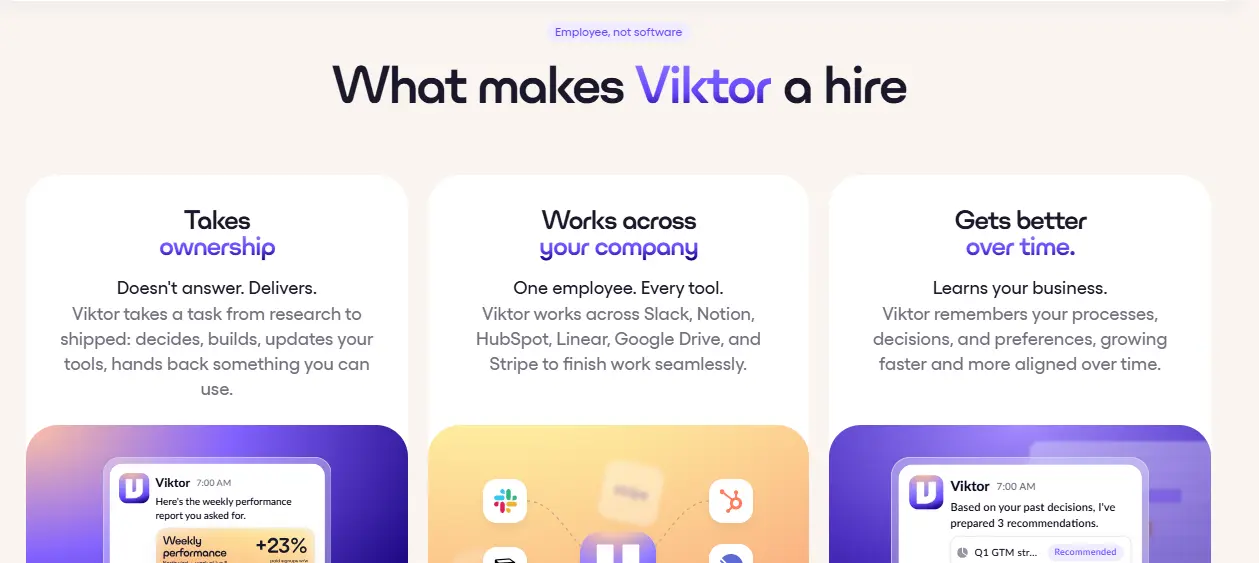
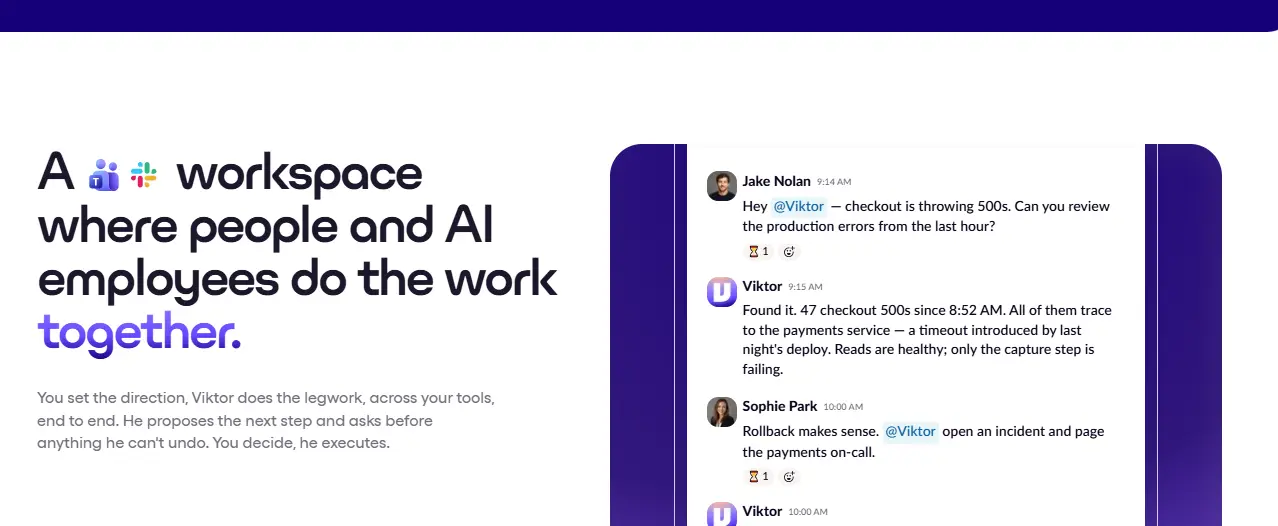
Viktor AI is an AI agent that joins your Slack or Teams workspace and behaves like a generalist coworker. It is not a chatbot that waits for prompts, and it is not a workflow builder with boxes and arrows. After you add it, it reads your channels, picks up the context of your work, and starts suggesting tasks it could take over, including how it would approach each one.
That difference is the whole pitch. Most AI tools are impressive for an hour and then get forgotten. Viktor AI is designed to sit where your team already talks and join the conversation when there is work to do.
Viktor AI Key Features
Proactive help
Viktor AI doesn’t need a knowledge base or long prompts to get started. It reads your channels and volunteers for tasks, for example offering to prepare a video description when it sees a publish coming up. It also tells you what information it still needs.
Autonomous task execution
When given a task, the Viktor AI agent goes and does it: fetching pages, pulling data from connected tools, and returning a finished result. Typical uses include SEO audits, content drafts, release notes, drafting replies and code or pull request analysis. It has its own cloud computer, so it can write and run code without any setup on your side.
Skills (automations in plain language)
Instead of building a workflow, you describe it in a message: do this in one tool, check that, update a status, send a follow-up. For example, you can ask for an email to go out automatically when a new lead lands in your CRM.
Reminders and people follow-up
You can tell Viktor AI to ping someone if a task isn’t done by Friday, or to remind you if you haven’t replied. Because it comes from the assistant, it feels like a helpful nudge rather than nagging.
Memory and one Viktor per workspace
Viktor AI saves your preferences, such as a formatting rule or a QA checklist, and applies them later without being reminded. It also builds context across all your channels instead of one channel at a time, so an engineer and a marketer are effectively talking to the same coworker who knows both sides.
Integrations and Safety
Viktor AI connects to the tools your team already uses through native APIs and browser automation, with over 3,000 integrations reported, and you can add a custom MCP if something is missing. Access is controllable: you can make it ask before acting, restrict it to specific channels, and limit what it can do in each connected tool, for instance giving it read-only access to GitHub. It is also reported to be SOC 2 compliant, which matters if security review is part of how you buy software. Always check these settings yourself before connecting sensitive data.
Viktor AI Pricing
Viktor AI is priced on credits. Published reviews describe a free tier to test it, a Team plan billed per workspace with a monthly credit allowance, and custom Enterprise pricing with extras such as security review support and priority help. Heavy users report spending noticeably more as credits are used up, since every task consumes credits.
One useful point is that Viktor AI is model agnostic, so you can choose which underlying AI model it uses, including cheaper and faster options for simple jobs, to stretch your credits. Plans and amounts change, so confirm them on the official site before you subscribe.
Viktor AI Strengths and Weaknesses
Strengths
- Lives inside Slack and Teams, so adoption is easy for a whole team.
- Proactive, with no training or knowledge base needed to start.
- Remembers preferences and keeps context across channels.
- Plain-language automations instead of a workflow builder.
- Flexible model choice and permission controls.
Weaknesses
- Credit-based pricing can be hard to predict for busy teams.
- You need to be using Slack or Teams.
- Output still needs a human check, especially for code, customer messages and anything public.
- Most of the glowing reports so far come from affiliates and partners, so treat the claims as promising rather than proven.
For a second opinion, you can also read the Efficient App review of Viktor, which describes a team using it daily.
Who Is Viktor AI For?
It fits small teams, agencies, startups and solo founders who already live in Slack or Teams and want to hand off repeatable work: content prep, SEO checks, reminders, simple automations and first-pass engineering help.
It may not fit teams that don’t use Slack or Teams, people who want a fixed, predictable monthly bill, or anyone who needs fully hands-off output with no review.
More AI Tool Reviews You May Like
- Marblism AI Review 2026: a test of six “AI employees” over 90 days.
- How Much Does It Cost to Hire AI Employees in 2026?
- Walter by Marblism Review 2026: an AI website builder focused on conversion.
- Metricool Honest Review 2026: social media scheduling and analytics.
Curious how Viktor AI would fit your team?
Try Viktor AI HereCheck current plans and credits on the official site first.
Frequently Asked Questions
What is Viktor AI?
Viktor AI is an AI employee that works inside Slack or Microsoft Teams. It reads your channels, learns your processes and takes on tasks like SEO checks, content drafts, reminders and automations.
Does Viktor AI work with Slack?
Yes. It lives in Slack and Teams, and you tag it in a thread like a coworker.
How much does Viktor AI cost?
It uses credit-based pricing with a free tier, a per-workspace Team plan and custom Enterprise pricing. Check the official site for current numbers.
Is Viktor AI safe to use with company data?
It has permission controls and is reported to be SOC 2 compliant, but you should review its access to each connected tool before using it with sensitive data.
Is Viktor AI better than building your own AI agent?
For most small teams, yes. Maintaining integrations, security and bug fixes is a full-time job, so a ready-made agent usually makes more sense.
Affiliate disclosure. I am an affiliate, not the seller. I do not manufacture, stock, ship, or provide support for this product. If you buy through a link on this page, I may earn a commission at no extra cost to you. All opinions here are my own.