
Vidnoz AI
Can you create professional video content without filming or editing skills? Vidnoz AI solves the challenge of video production by transforming text into engaging videos using artificial intelligence. Content creators, marketers, and businesses need cost-effective ways to produce video content at scale. This AI video generator eliminates the need for cameras, studios, or complex software while delivering results in minutes.
Use this Promo Code To Get 15% Off : MHasnain15
What makes Vidnoz AI useful for users?
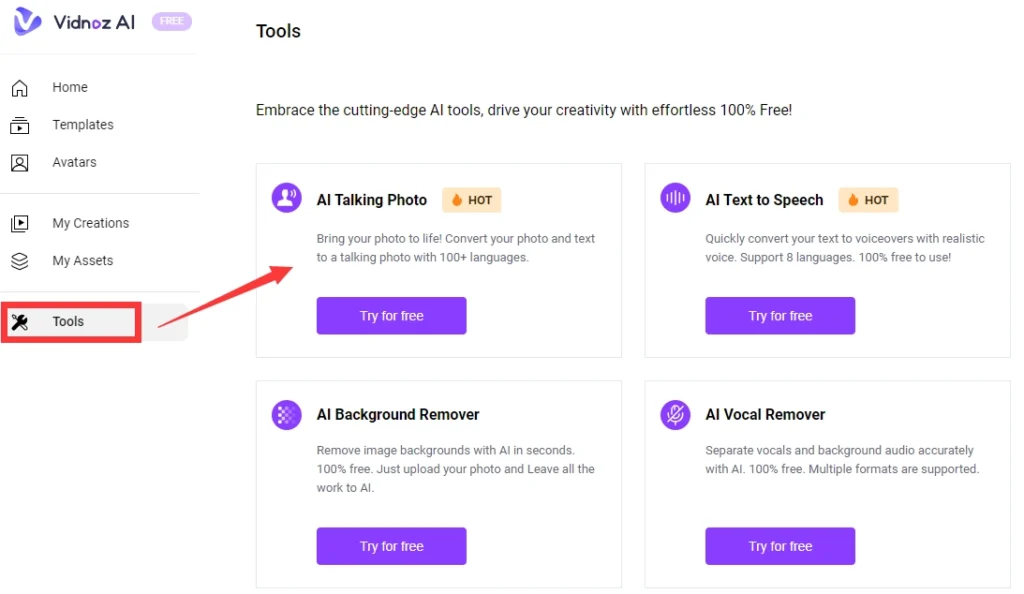
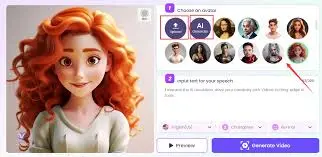
Vidnoz AI provides a browser-based platform for creating videos from text inputs. The system includes over 1900 realistic AI avatars that speak in more than 140 languages. Users can generate training videos, marketing content, educational materials, and social media clips without recording equipment.
The platform offers realistic AI avatar video creation with natural lip-syncing and facial expressions. Voice synthesis technology converts written scripts into spoken narration with multiple accent options. Background music, transitions, and text overlays can be added through a drag-and-drop editor.
Video templates cover business presentations, product demos, how-to guides, news updates, and promotional content. Each template includes pre-designed layouts that reduce production time. The rendering engine processes videos in HD quality with export options for different platforms.
| Feature | Details |
|---|---|
| Avatar Library | 1900+ realistic AI avatars |
| Languages | 140+ languages and accents |
| Video Templates | 2800+ customizable templates |
| Voice Options | 2000+ AI voices |
| Export Quality | 720p to 1080p HD |
How does Vidnoz AI work?
The platform operates through a web interface that requires no software installation. Users input text scripts or upload documents that the system converts into video narration. The AI engine analyzes the content and suggests appropriate avatars, voices, and visual elements.
Input formats include plain text, Word documents, PDFs, and URLs. The system extracts key information and structures it into video segments. Users can modify avatar appearance, voice tone, speaking speed, and background settings.
Output quality reaches 1080p resolution with adjustable frame rates. Processing speed depends on video length but typically completes within 3-10 minutes for standard projects. The platform supports MP4 and WebM formats for broad compatibility.
Platform integrations include direct publishing to YouTube, social media channels, and learning management systems. API access allows developers to automate video generation through custom applications. Webhook support enables workflow automation with third-party tools.
Customization options cover avatar clothing, background scenes, camera angles, and subtitle styling. Users can upload custom logos, brand colors, and music tracks. The editor supports multi-scene videos with transitions and animation effects.
How to create videos with Vidnoz AI
Step 1: Create your account
Visit the Vidnoz AI website and sign up using email or social login. Verify your account through the confirmation link. Access the dashboard to view available features and quota limits.
Step 2: Choose a template or start blank
Browse template categories or select a blank canvas for custom projects. Filter templates by industry, video type, or duration. Preview templates before selection to match your content needs.
Step 3: Select your AI avatar
Pick an avatar from the library based on your target audience. Consider age, gender, ethnicity, and professional appearance. Preview avatar movements and expressions before confirming.
Step 4: Input your script
Type or paste your text into the script editor. The system highlights sections that exceed recommended length. Add pauses, emphasis marks, or pronunciation guides for accurate voiceover.
Step 5: Customize voice and settings
Choose a voice that matches your avatar and content tone. Adjust speaking speed, pitch, and volume. Add background music from the library or upload your own audio files.
Step 6: Generate and download
Click the generate button and wait for processing to complete. Review the preview to check timing and quality. Download the final video or publish directly to connected platforms.
What are the pricing options?
This Ai tool plan includes limited monthly credits and basic features. Paid plans remove watermarks and increase generation limits.
| Plan | Price | Video Minutes | Features |
|---|---|---|---|
| Free | $0 | 1 min/day | Watermark, basic avatars |
| Starter | Only $19.99 per month /paid annually | 15 min/month | No watermark, HD quality |
| Business | $56.99/month/Paid Annually | 30 min/month | All avatars, priority support |
| Enterprise | Custom | Unlimited | API access, custom avatars |
Annual billing provides 30% savings compared to monthly payments. All paid plans include a 7-day money-back guarantee. Enterprise plans offer volume discounts and dedicated account management.
What are the best alternatives?
Several platforms compete in the AI video generation space with different strengths.
Synthesia targets enterprise clients with advanced customization and team collaboration features. Pricing starts higher but includes more professional templates and security options.
HeyGen focuses on marketing videos with social media optimization. The platform offers shorter creation times but fewer language options than Vidnoz AI.
D-ID specializes in photorealistic avatars created from user photos. The tool works well for personalized content but has limited template variety.
Runway ML provides open-source tools for developers who need full control over video generation. The platform requires technical knowledge but offers extensive customization.
| Tool | Starting Price | Best Feature |
|---|---|---|
| Vidnoz AI | Free / $19.99 | Largest avatar library |
| Synthesia | $30 | Enterprise security |
| HeyGen | $29 | Fast rendering |
| D-ID | $5.9 | Custom avatars |
Who benefits most from Vidnoz AI?
Content creators use the platform to produce YouTube videos, tutorials, and educational content without appearing on camera. A typical workflow involves scripting topics, generating videos with relevant avatars, and scheduling uploads across channels.
Marketers create product demonstrations, testimonials, and promotional videos for campaigns. Teams generate multiple ad variations for A/B testing without additional production costs.
Developers integrate the API into applications that require automated video generation. Use cases include personalized onboarding videos, notification systems, and user-generated content platforms.
Students produce presentation videos for assignments and projects. The text to speech video feature helps create study materials and tutorial content.
Businesses develop training modules, internal communications, and HR materials. Companies save costs on video production while maintaining consistent brand messaging.
Freelancers offer video creation services to clients without investing in equipment or editing software. The platform enables quick turnaround times for client projects.
Common mistakes users make
Writing scripts that are too long results in videos that lose viewer attention. Keep scripts under 150 words per minute of video. Break complex topics into multiple shorter videos.
Ignoring avatar-voice matching creates disconnect between visual and audio elements. Select voices that match the avatar’s apparent age, gender, and professional context.
Using default settings without customization produces generic content. Adjust speaking speed, add pauses, and customize backgrounds to match brand identity.
Skipping preview before downloading wastes credits on videos with errors. Always review the full preview and check for timing issues, pronunciation errors, or visual glitches.
Pros and Cons
Pros:
- No video editing skills required
- Large selection of avatars and voices
- Fast video generation
- Free plan available
- Multi-language support
- Browser-based platform
- Regular template updates
Cons:
- Free plan has daily limits
- Watermark on free videos
- Limited custom avatar creation
- Export quality capped at 1080p
- API access only on enterprise plan
Best practices
Improve performance by keeping video projects under 5 minutes for faster processing. Use shorter sentences in scripts to improve voice naturalness. Clear browser cache if the editor becomes slow.
Write better prompts by using conversational language rather than formal text. Add punctuation for natural pauses. Include phonetic spellings for technical terms or brand names.
Integrate in workflow by connecting the platform to project management tools. Create a content calendar for batch video generation. Use templates for recurring video types to maintain consistency.
Secure data by enabling two-factor authentication on your account. Avoid including sensitive information in scripts. Use private sharing links instead of public URLs for internal videos.
Get higher output quality by selecting HD export settings. Use high-contrast colors for text overlays. Test videos on target platforms before final distribution to ensure compatibility.
Visit my previous reviews:
Arcads AI Review,
Monica AI Review,
MagicLight AI Review.
Conclusion
Vidnoz AI works best for users who need scalable video production without technical expertise or large budgets. The platform balances ease of use with professional output quality. Content creators, marketers, and businesses gain efficiency in video production workflows. Start with the free plan to test features before upgrading to paid options. Create your first AI talking avatar video today and experience automated content creation.
Frequently Asked Questions
How long does it take to create a video?
Video generation takes 3-10 minutes depending on length and complexity. Simple 1-minute videos process faster than multi-scene projects.
Can I use Vidnoz AI videos commercially?
Yes. Paid plans include commercial usage rights. Free plan videos have restrictions and require attribution.
Does the platform work on mobile devices?
The editor functions on tablets and smartphones but works best on desktop browsers. Mobile viewing of generated videos is fully supported.
What happens to my data?
Scripts and videos are stored securely with encryption. Users can delete projects at any time. The platform follows GDPR compliance standards.
Is there a learning curve?
New users can create basic videos within 15 minutes. Advanced features like multi-scene editing require 1-2 hours of practice.
TL;DR
- Vidnoz AI converts text into professional videos using AI avatars and voices
- Free plan available with 1 minute daily generation limit
- Over 1900 avatars and 140 languages supported
- Browser-based platform requires no software installation
- Best for content creators, marketers, and businesses needing scalable video production
Complete Comparison Table
| Feature | Vidnoz AI | Synthesia | HeyGen |
|---|---|---|---|
| Starting Price | Free / $14.99/mo | $30/mo | $29/mo |
| Avatar Count | 1900+ | 140+ | 100+ |
| Languages | 140+ | 120+ | 40+ |
| Free Plan | Yes (1 min/day) | No | Yes (1 min) |
| Max Resolution | 1080p | 1080p | 1080p |
| API Access | Enterprise only | All paid plans | Business plan |
| Pros | Largest avatar library, affordable pricing, free option | Enterprise features, team collaboration, security | Fast rendering, social media optimization |
| Cons | Limited API access, daily free limits | Higher cost, no free plan | Fewer languages, smaller avatar selection |
| Best For | Budget-conscious creators, multi-language content | Enterprise teams, corporate training | Social media marketers, quick projects |
Discover more from THEAIPICKS
Subscribe to get the latest posts sent to your email.
